Getting In
Times shown are standard — check your booking confirmation for any adjustments.
Self Check-In
Your door code is sent via the booking platform 8 hours before check-in. Haven't received it? Message us right away — we're on it.
- To unlock: press the Home button on the bottom left of the keypad, then enter your code
- To lock: press the Home button on the bottom right
Driving Directions
GPS may take you to our neighbor's address — please use the map and directions below instead.
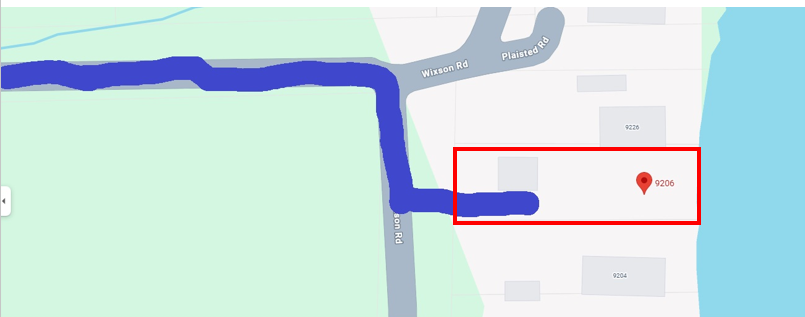
- As you come down Wixson Rd, you'll reach a spot where the road splits
- Bear right at the split
- You'll see the Curio Havens wood street sign — that's the property
Parking
Up to 4 vehicles on-site.
- Left side: park 2 deep next to the brown shed
- Right side: pull up to the wooden fence near the yellow house — do not park beyond the fence
Property Maintenance
We do our best to schedule lawn care and snow removal around guest stays. Occasionally a crew or truck may stop by. They'll be in and out quickly and won't need access to the house.
🐦 Birds Have Taste
They love the views just as much as our guests do and they're not shy about it. Our crew left everything spotless, but those guys work fast. Cleaning supplies are under the kitchen sink just in case.
WiFi & Climate
Roku TVs
Both TVs use Roku. Log into your own streaming accounts using Guest Mode — it auto-signs you out at checkout so you don't have to remember:
- Press Home on the remote, scroll to Settings → Guest Mode
- Enter your checkout date — Roku signs you out automatically that morning
- To sign out early: Settings → Guest Mode → Sign Out
No need to sign into the main Roku account — Guest Mode keeps your credentials private.
If Guest Mode loses WiFi and won't let you select a date: go to Settings → Network → Set Up Connection and reconnect using the credentials above. Guest Mode should work normally after that. If you're still stuck, message us.
Heating
Four wall-mounted thermostats control the heating. We set them to 68°F before you arrive. Adjust up or down as needed, or turn individual zones off:
- Living Room — thermostat on the wall in the living room
- Green Room — thermostat in the green bedroom
- Blue Room — thermostat in the blue bedroom
- Basement — thermostat on the wall downstairs
Cooling & Fans
We set the house to 72°F before you arrive in summer. Three mini-split units handle the main cooling, each with a white remote on the wall:
- Living Room — white remote on the wall, press the snowflake icon for cool mode
- Green Room — white remote on the wall
- Loft — white remote on the wall
- Blue Room — has a window AC unit instead. Controls are on the unit itself
Loft fan: large fan controlled by the switch near the bottom of the stairs. Normal for it to wobble a bit before it spins up fully.
The Manual
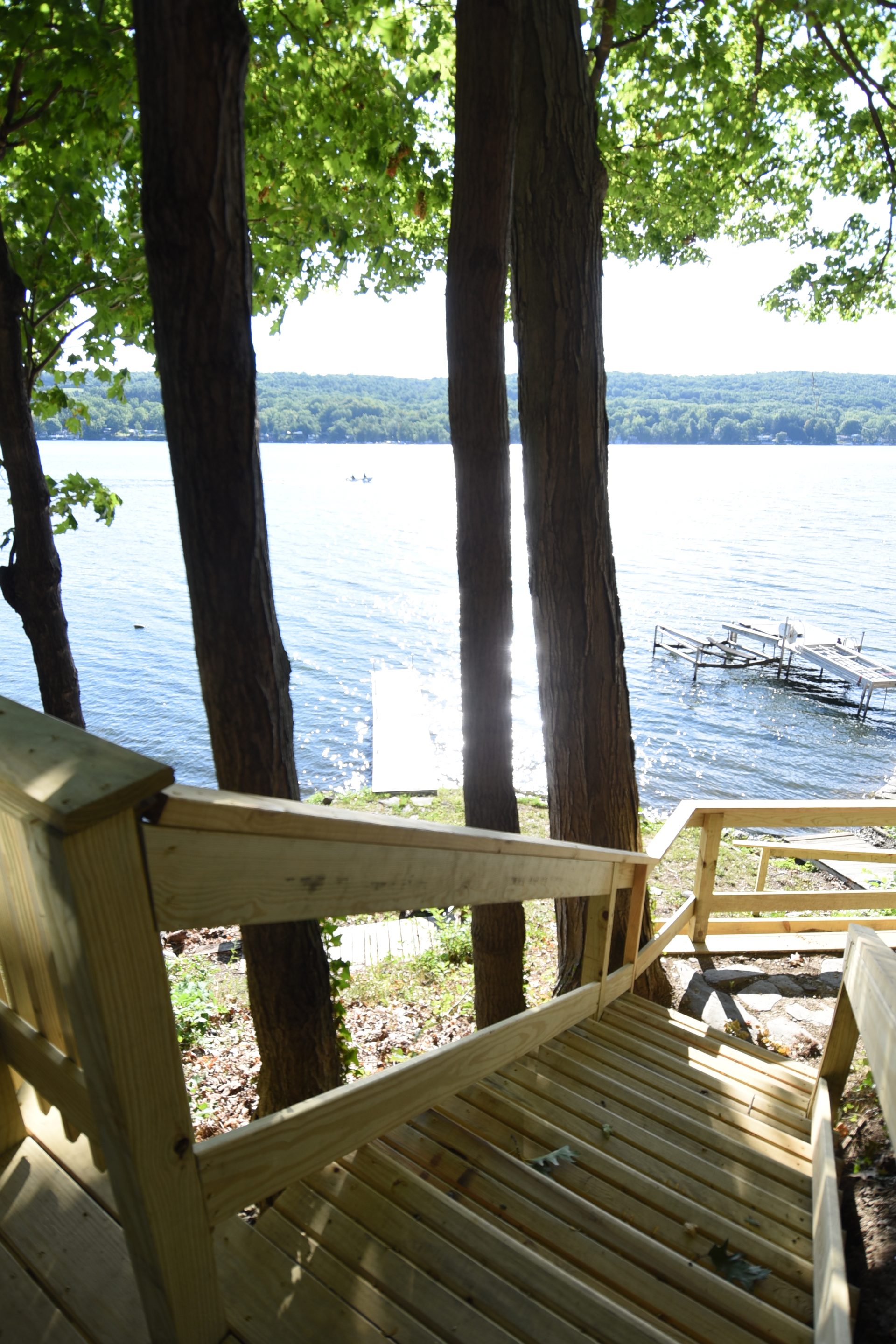
Deck & Fire Pit
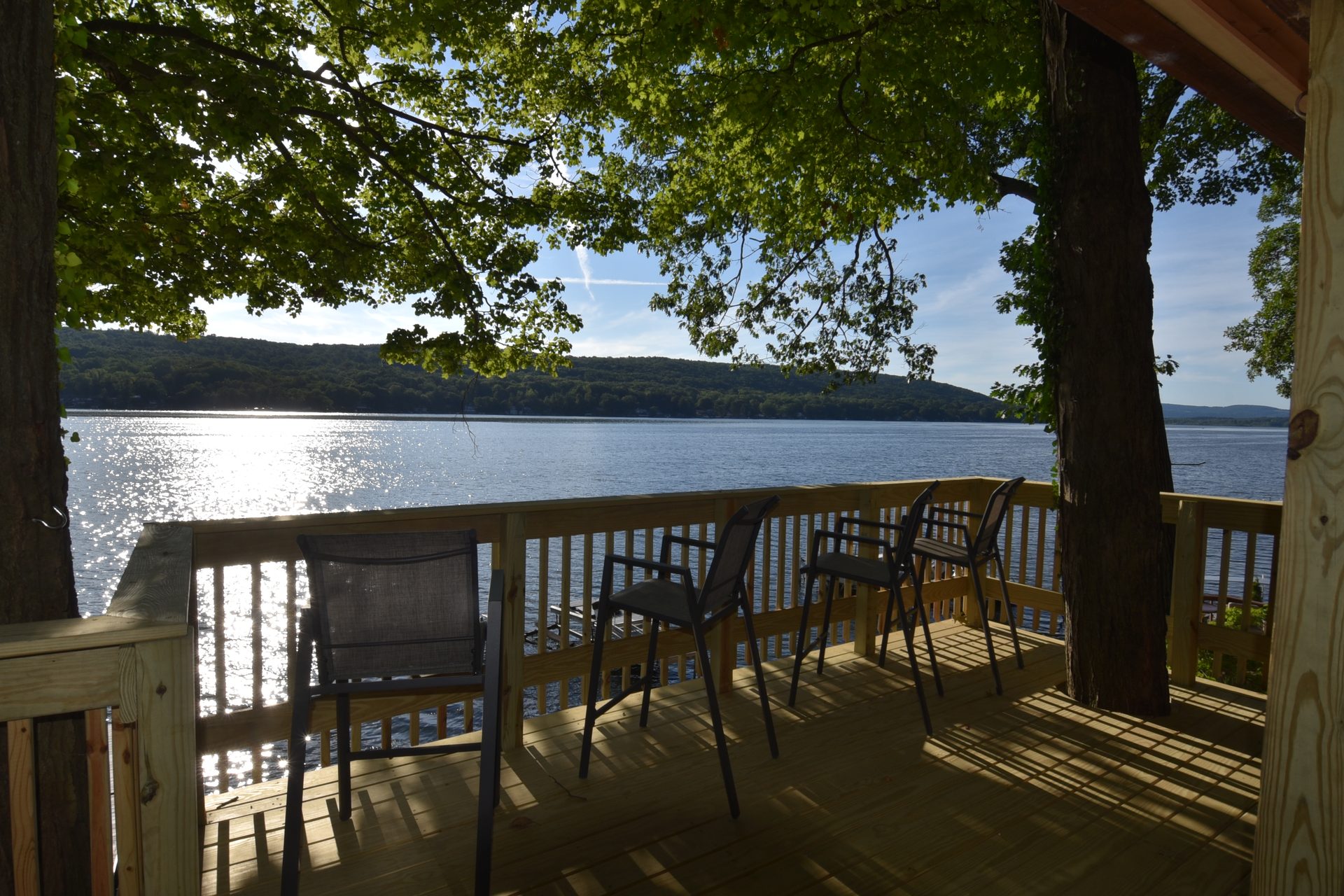
The main deck sits directly over the lake with a dining table, lounge chairs, and an unobstructed view of Waneta Lake. The upper deck is surrounded by trees and has its own quiet feel.
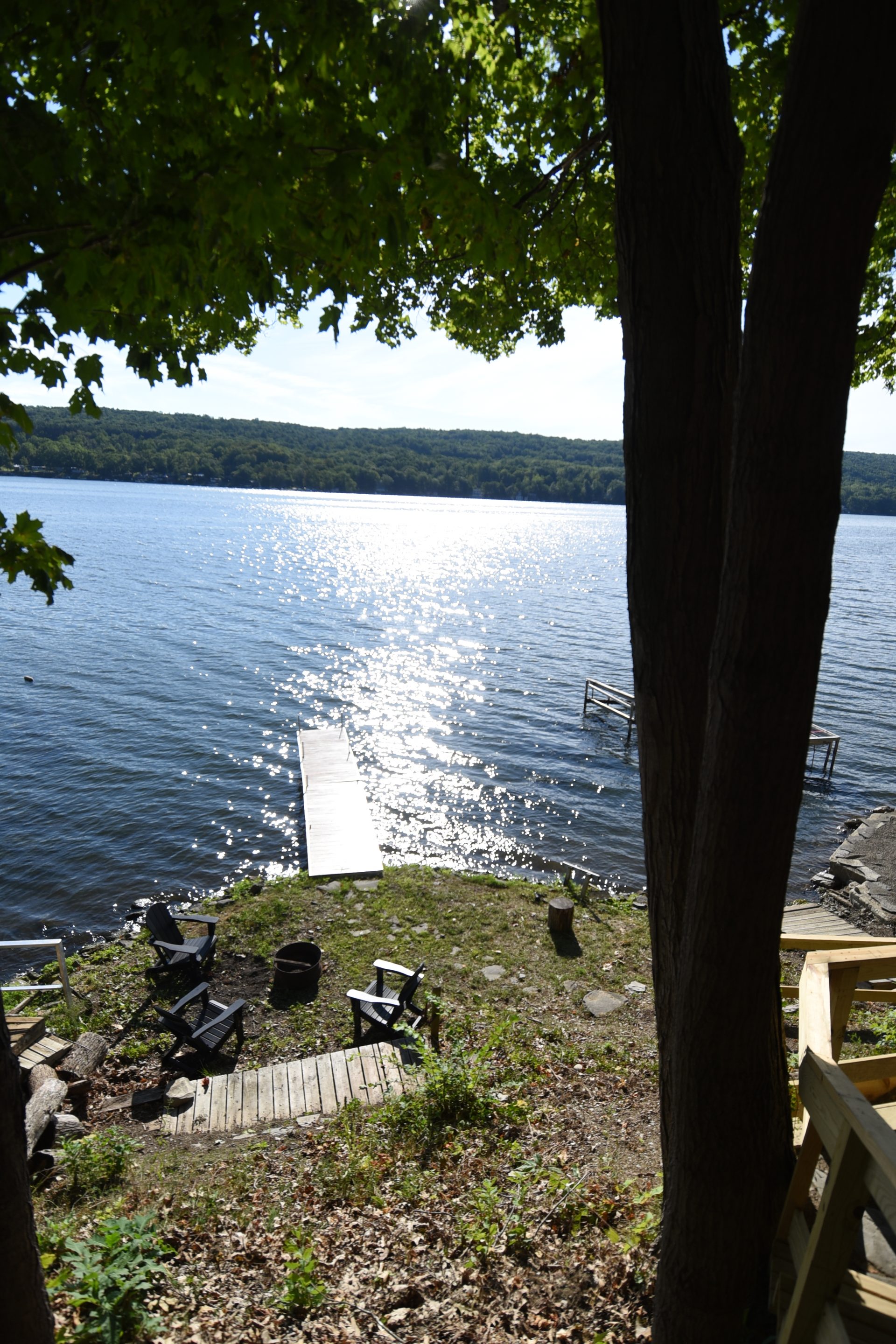
Fire pit: Adirondack seating at the water's edge. Bring your own firewood — pick up a bundle at any gas station or market on the way in. Fully extinguish before going inside for the night.
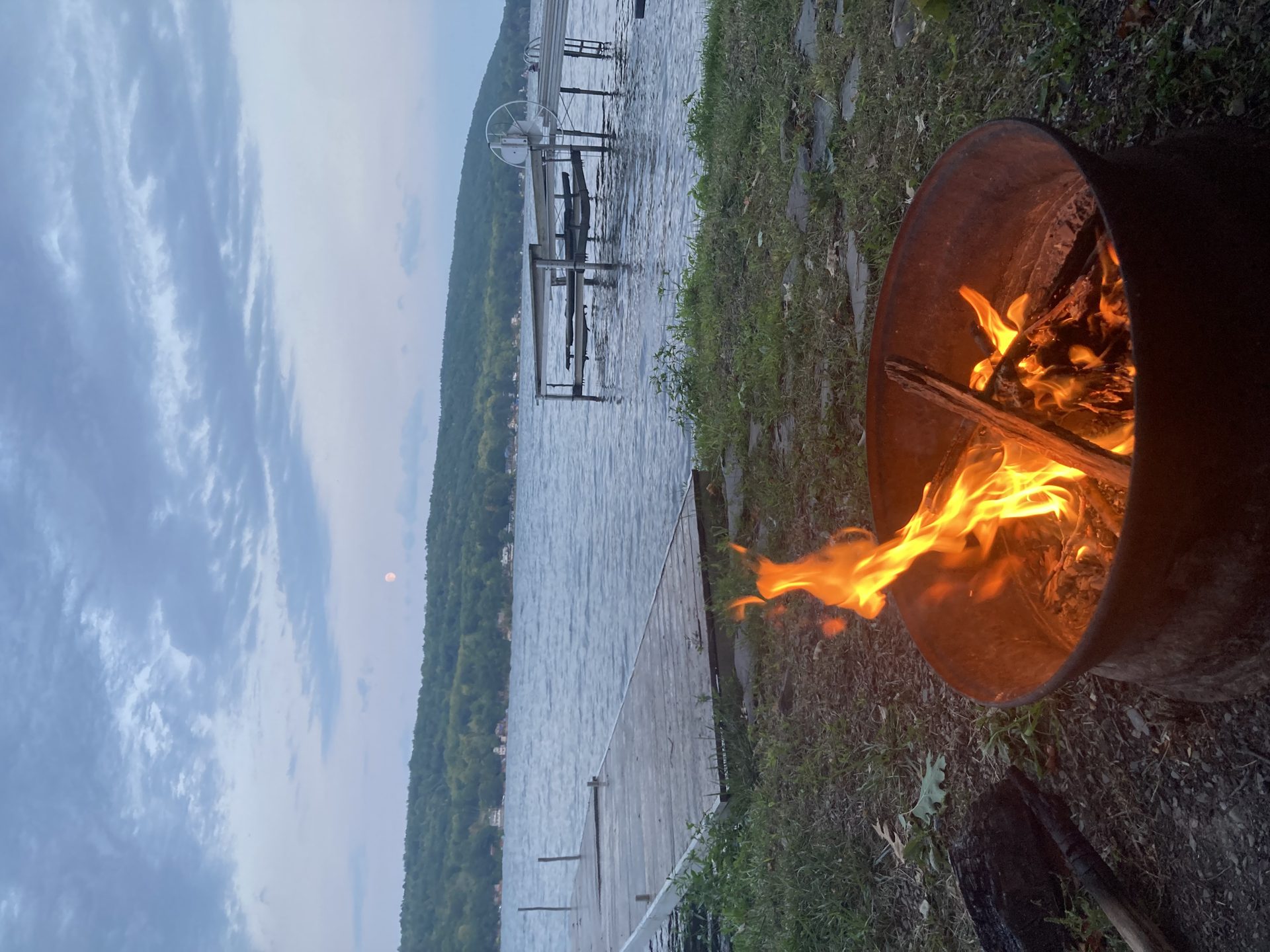
Beach & Dock
Your private beach and dock are steps from the house. Swim, fish off the dock, or just sit and watch the lake. If you want to get out on the water, kayak and paddleboard rentals are available nearby at Keuka Watersports in Hammondsport (10 min).
The Pond
Small pond in the front yard with a resident chorus of frogs. Approach quietly — it's one of those genuinely serene moments.
Kitchen
- Oven: use Bake/Broil buttons or the temperature knob
- Built-in Air Fryer: press Options → 1, then set temp to 350–400°F
- Warming Drawer (below the oven): pull the handle to open, then set your desired level
- Drip coffee maker, grinder, tea kettle, blender, and waffle maker all stocked and ready
Sauna
Private dry-heat sauna in the lower level. The yoga studio space next to it is great for stretching after a session.
- Power: bottom-left button (the heat lines icon) — you'll hear a clunk when it clicks on or off
- Temp & Timer: press Menu, then +/− to adjust
- Session limit: 15–20 minutes. Stay hydrated — keep water nearby
- Let it cool fully before leaving it unattended
Game Room
Air hockey table, large sectional couch, and a Smart TV in the lower level.
Air Hockey: long-press ON/OFF/START for 3 seconds to boot the table. Use TIME/SOUND to toggle between 3-minute and 5-minute games.
House Rules
Check Out
Check-out is at 10:00 AM. Here's everything we ask before you head out:
Checklist
- Leave beds unmade — our team will handle linens
- Put dirty dishes in the dishwasher and run it
- Turn off the stove and all lights
- Toss used towels in the bathtub
- Lock all doors on the way out
Contact Us
We're remote hosts but easy to reach. Emergency numbers are posted inside the front door.
Booking Platform
Message us through your booking platform for the fastest response.
Direct Booking
Ask us for our direct booking link — guests always get the best rate.